User & Policy
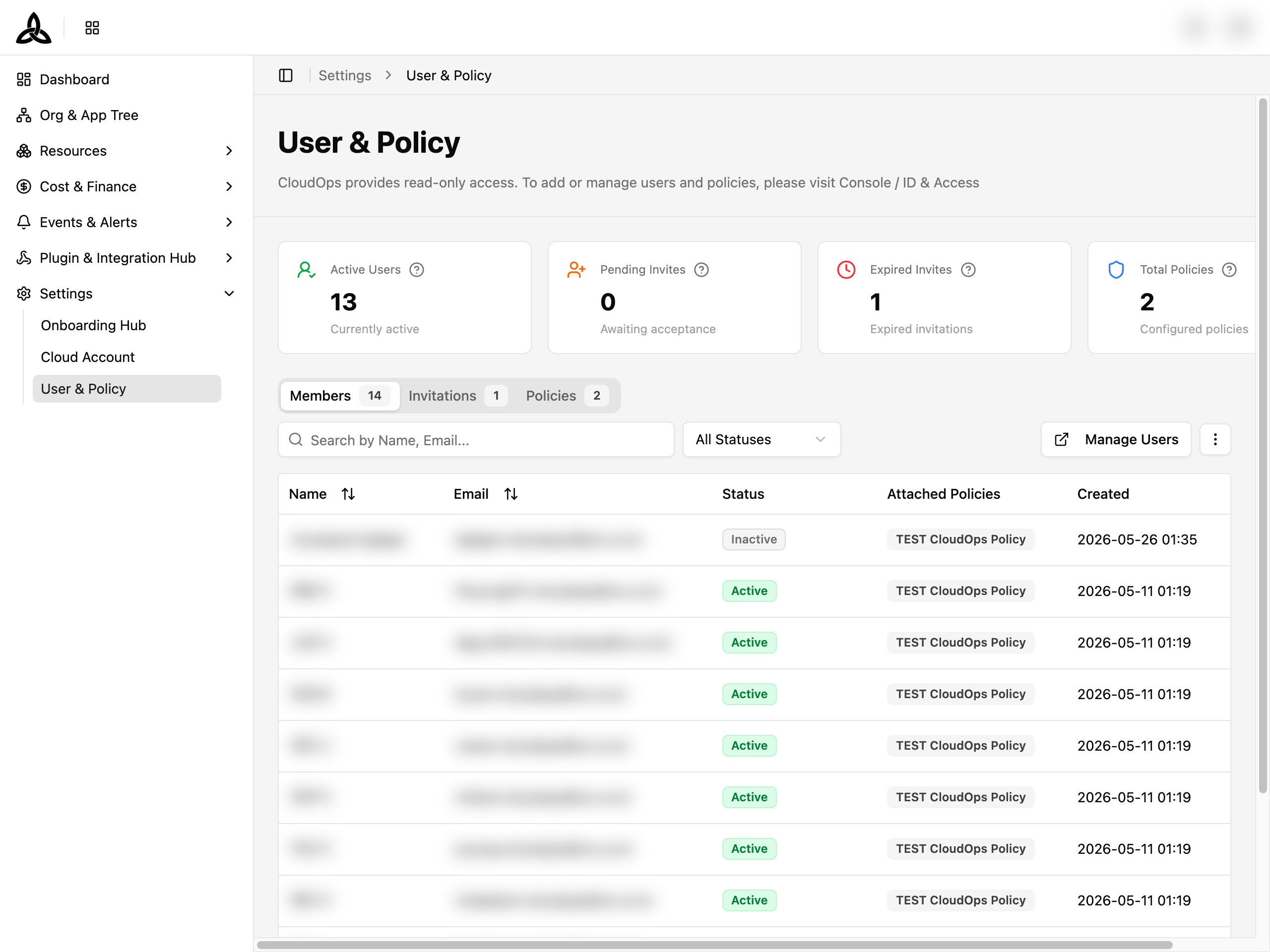
[Settings > User & Policy] 페이지에서는 CloudOps 워크스페이스에 누가 접근할 수 있는지, 아직 수락되지 않은 초대는 무엇인지, 누구에게 어떤 권한 정책이 붙어 있는지 확인할 수 있습니다.
ℹ️
이 페이지는 읽기 전용입니다. CloudOps 는 사용자와 정책을 보여 주기만 하고, 추가·수정·삭제는 Console / ID & Access 에서 이뤄집니다 — [Manage Users ↗] 로 바로 이동할 수 있습니다.
요약 카드

| 카드 | 의미 |
|---|---|
| Active Users | 현재 워크스페이스에서 활성 상태인 사용자 수 |
| Pending Invites | 보냈지만 아직 수락되지 않은 초대 |
| Expired Invites | 수락 전에 유효 기간이 지난 초대 |
| Total Policies | 워크스페이스에 설정된 권한 정책 수 |
Members
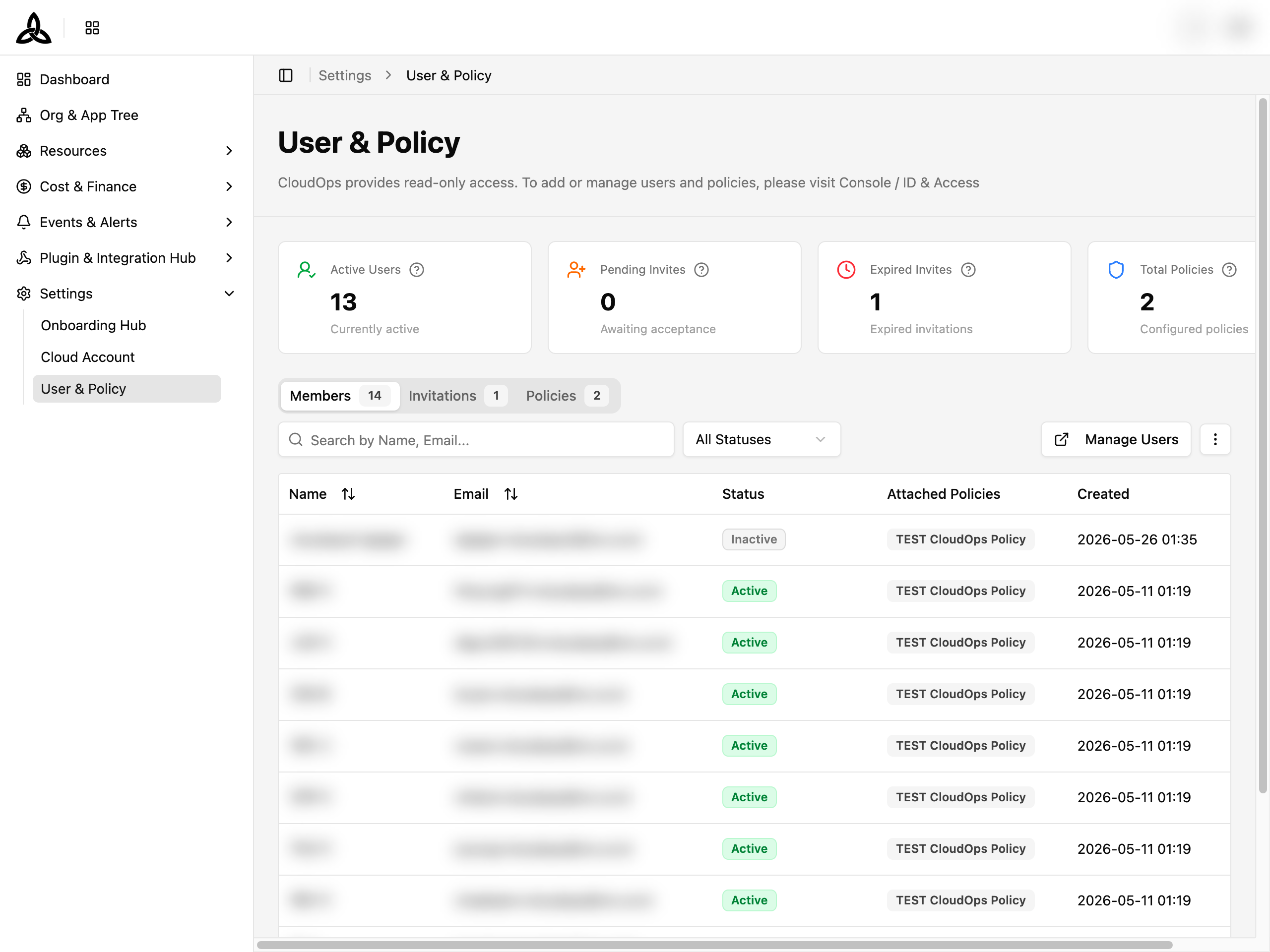
Members 탭은 접근 권한이 있는 사람을 모두 보여 줍니다. 탭 이름 옆 숫자가 구성원 수입니다.
| 컬럼 | 설명 |
|---|---|
| Name | 구성원의 표시 이름 |
| 계정이 등록된 이메일 | |
| Status | Active 또는 Inactive |
| Attached Policies | 이 구성원에게 부여된 권한 정책. 앞의 몇 개를 넘어가는 정책은 +N 으로 요약됩니다 |
| Created | 구성원이 추가된 시각 |
툴바
| UI 요소 | 설명 |
|---|---|
| Search by Name, Email… | 이름이나 이메일로 구성원을 검색합니다 |
| All Statuses | Active / Inactive 로 필터 |
| [Manage Users ↗] | 실제로 구성원을 관리하는 Console / ID & Access 로 이동합니다 |
| ⋮ | Set Display(페이지당 행 수, 컬럼 표시·순서·고정)와 Refresh |
ℹ️
이 페이지의 모든 표 — Members, Invitations, Policies — 는 ⋮ > Set Display 에서 컬럼 고정을 지원합니다. 최대 2개 컬럼을 왼쪽에 고정하면 가로로 스크롤해도 계속 보입니다. 각 표에서 Name 이 기본으로 고정되어 있습니다. 배치는 브라우저에 저장됩니다.
아직 구성원이 없으면
No Members Found 와 Invite users to start collaborating in your CloudOps workspace. 가 표시됩니다. 검색·필터 때문에 결과가 없으면 No results found 로 표시됩니다.Invitations
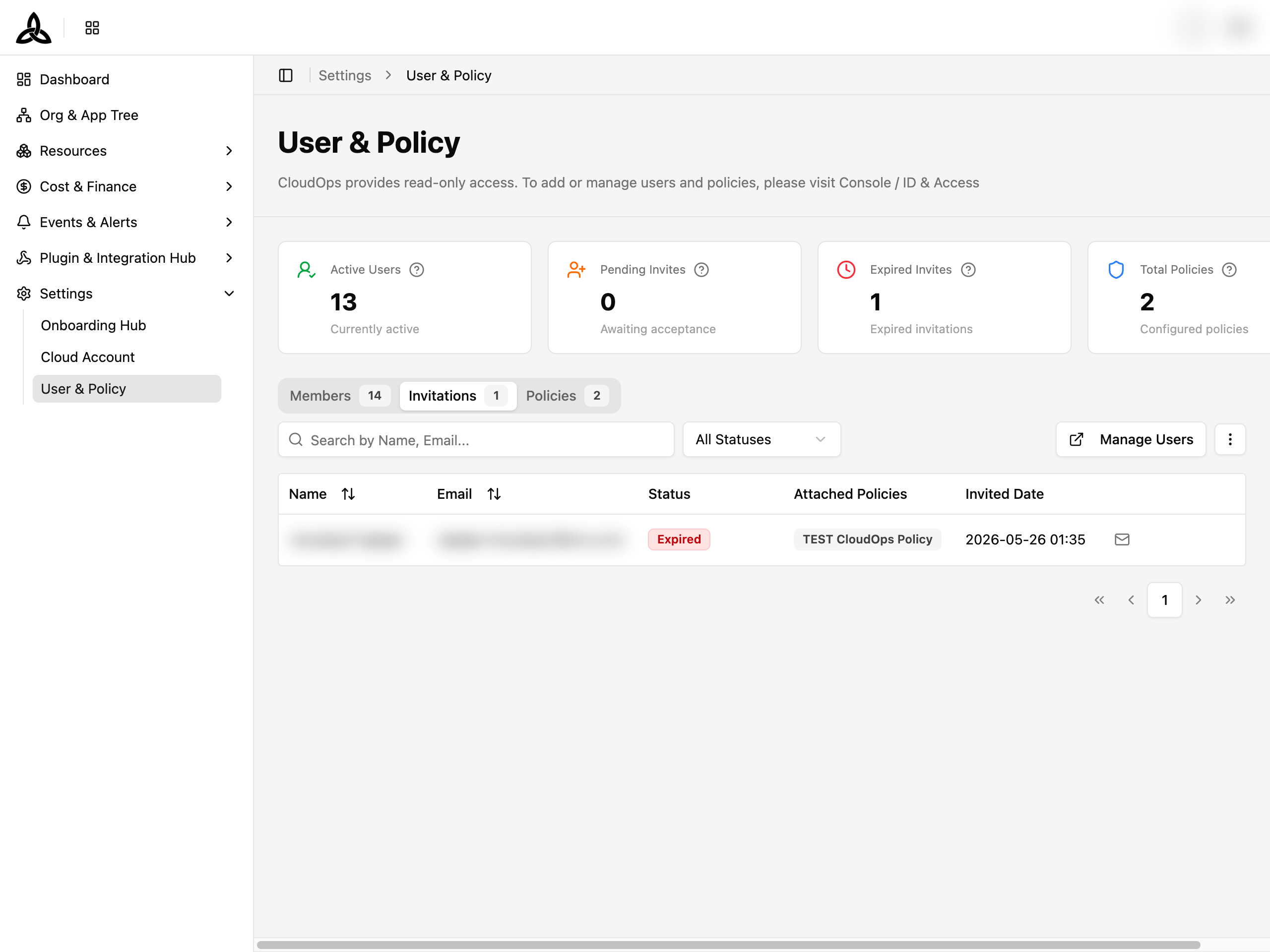
Invitations 탭은 보냈지만 아직 구성원으로 전환되지 않은 초대를 추적합니다. 답이 없는 초대와 기간이 지난 초대를 구분할 수 있습니다.
상태는 수락을 기다리는 동안 Pending, 유효 기간이 지나면 Expired 입니다. 만료된 초대의 재발송은 Console / ID & Access 에서 합니다.
Policies
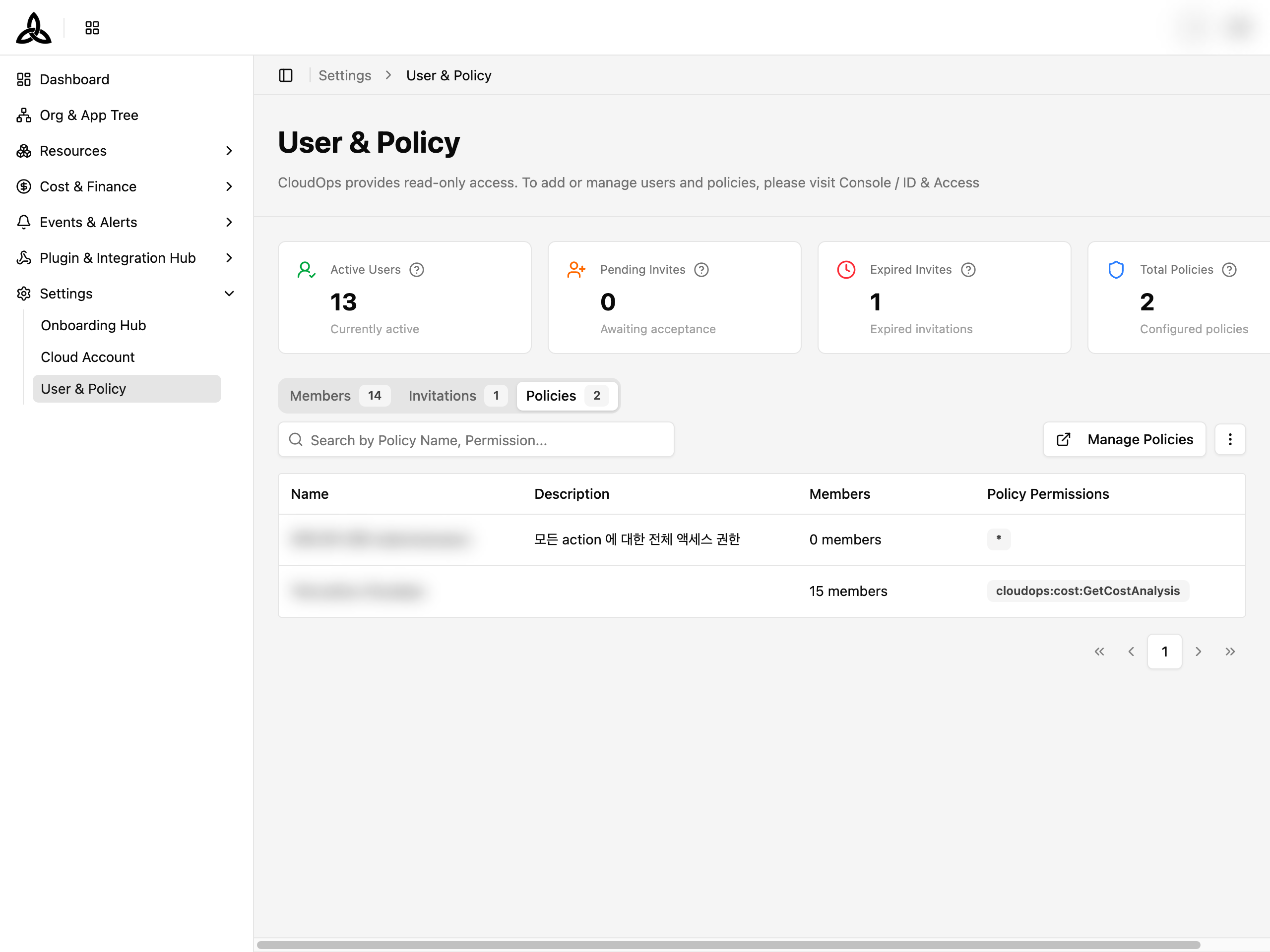
Policies 탭은 워크스페이스에 설정된 권한 정책을 나열합니다. 각 구성원의 Attached Policies 컬럼에 나오는 것과 같은 정책들입니다.
Members 탭이 “이 사람은 무엇을 할 수 있나?” 에 답한다면, 이 탭은 반대로 “이 정책은 누가 갖고 있나?” 를 확인할 때 씁니다.