Google Cloud Account Auto Sync
CloudOps automatically synchronizes Google Cloud’s organizational hierarchy structure through a Trusted Account. It synchronizes by identifying the hierarchy based on each subscription, and synchronization occurs for CloudOps’s workspaces, project groups, projects, and service accounts.
Hierarchy Structure Synchronization
Auto Sync Criteria
| Google Cloud | CloudOps |
|---|---|
| Organization | Workspace |
| Folder | Workspace, Project Group |
| Project | Project |
| Service Account | Service Account |
Google Cloud Hierarchy Structure Reference
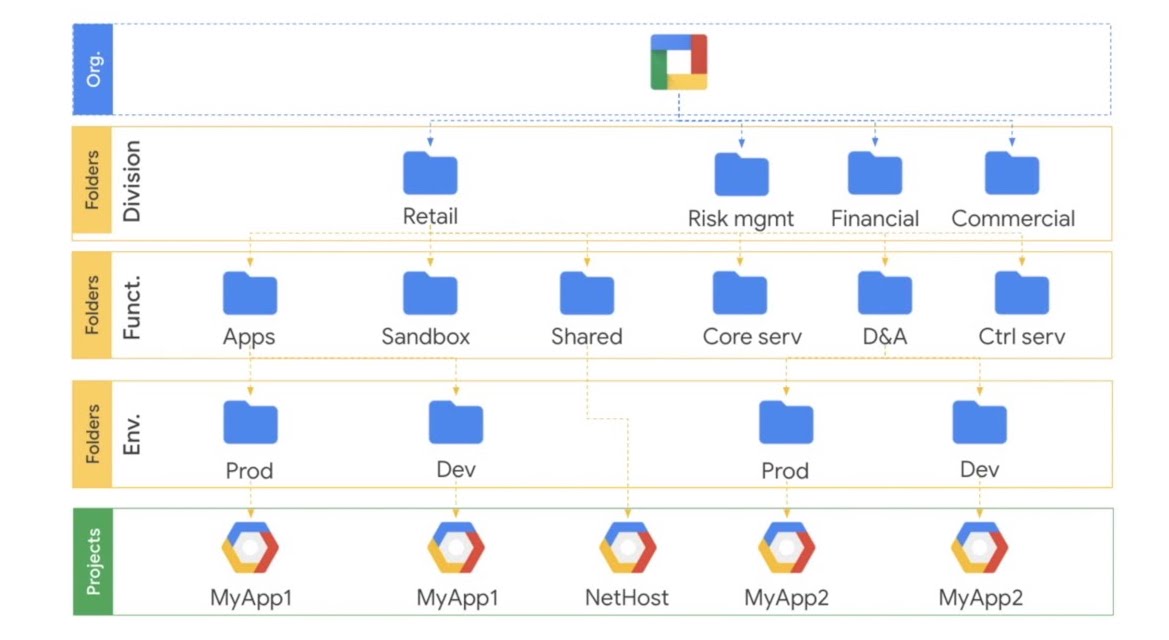
Google Cloud’s management structure follows an Organization > Folder > Project hierarchy, which is identical to CloudOps’s structure. Similarly, Google Cloud accounts have Service Accounts with identical names.
Permission Grant
To use the auto-sync feature in CloudOps, you must add Organization Viewer and Folder Viewer roles to the Google Cloud service account used in the Trusted Account settings.
This must be executed at the Organization Level.
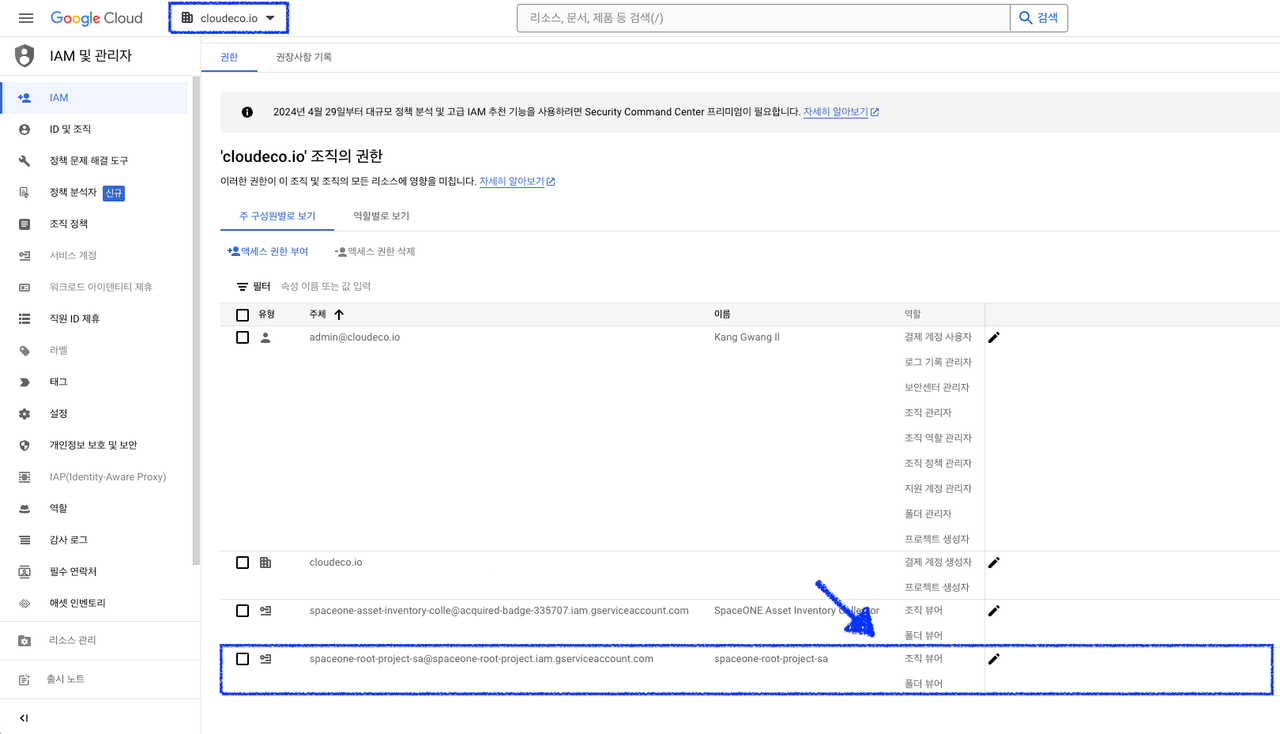
Auto Sync Results
CloudOps’s account auto-sync feature applies differently depending on the Trusted Account’s Scope.
Domain Scope Trusted Account
Trusted Accounts created in the Domain can be created in Admin Mode and can be configured in two ways:
- The Organization becomes a single CloudOps Workspace, enabling synchronization of all underlying projects and accounts.
Google Cloud CloudOps Organization Workspace Folder Project Group Project Project Service Account Service Account
- Top-level Google Cloud Folders can be synchronized as multiple Workspaces. This optimizes performance and management by organizing the management system at the organizational level.
Google Cloud CloudOps Top-level Folder Workspace Sub Folder Project Group Project Project Service Account Service Account
Workspace Scope Trusted Account
For Trusted Accounts created in a Workspace, synchronization applies below the Workspace level.
| Google Cloud | CloudOps |
|---|---|
| Folder | Project Group |
| Project | Project |
| Service Account | Service Account |