Notification Settings
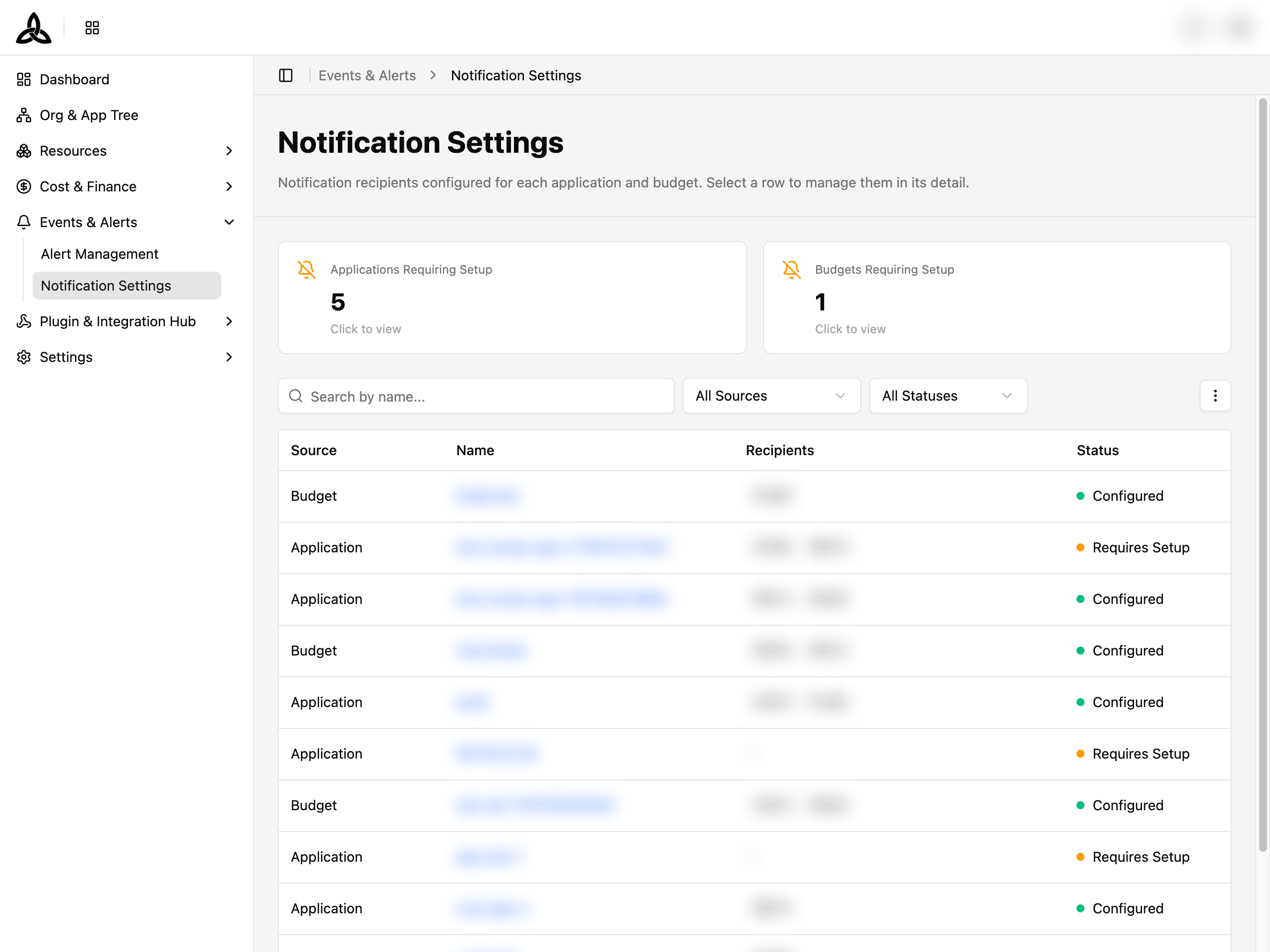
On the [Events & Alerts > Notification Settings] page, you can see who is set to receive notifications for every application and budget, and spot the ones nobody is watching.
ℹ️
This page is an overview. Recipients are not edited here — select a row to open the application or budget it belongs to and manage its recipients there.
Summary Cards

| Card | Meaning |
|---|---|
| Applications Requiring Setup | Applications with no notification recipient yet |
| Budgets Requiring Setup | Budgets with no notification recipient yet |
| AI Assets Requiring Setup | AI assets with no notification recipient yet |
Every card is clickable — selecting one filters the list to exactly those entries, so you can work through the gap.
Toolbar

| UI element | Description |
|---|---|
| Search by name… | Search by application, budget, or AI asset name |
| All Sources | Filter by where the setting comes from — Application, Budget, or AI asset |
| All Statuses | Filter by Configured or Requires Setup |
| ⋮ | Set Display (rows per page, column visibility, order, and pinning) and Refresh |
Notification List
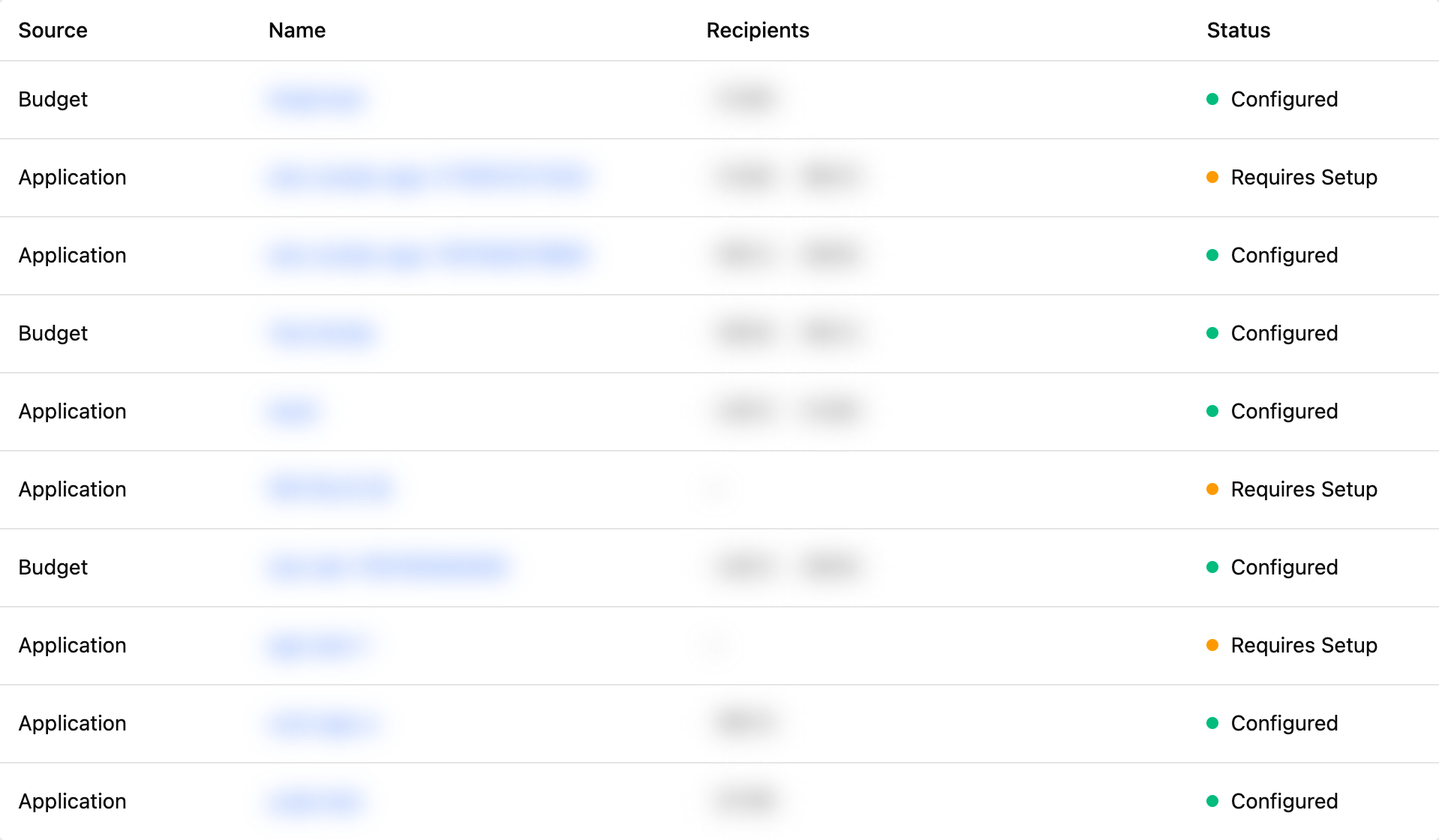
| Column | Description |
|---|---|
| Source | Application, Budget, or AI asset |
| Name | The application or budget the setting belongs to. Click it to open that item’s detail. Pinned to the left by default so it stays visible while you scroll horizontally |
| Recipients | Who currently receives notifications. When there are more than fit, the rest are summarised as +N |
| Status | Configured when at least one recipient is set, Requires Setup when none is |
ℹ️
Open ⋮ > Set Display to change rows per page, hide or reorder columns, and pin up to 2 columns to the left. Name is pinned by default. The layout is kept in your browser.
Adding recipients
Find what is missing
Click one of the Requiring Setup cards, or filter All Statuses to Requires Setup.
Open the item
Click the name in the Name column.
Add recipients on its detail page
For a budget, use the Notifications tab — see Budget Management. For an application, use its own detail page.
When nothing has been configured anywhere, the page shows
No notification settings yet with Notification recipients for applications and budgets will appear here. If a filter excluded everything, it instead says No notifications match the filter.